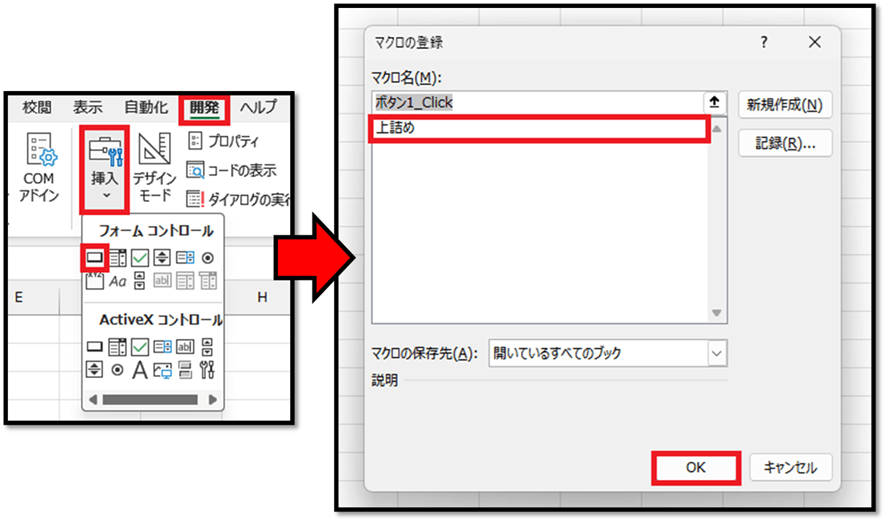
Sub 自動結合()

    Dim colNo As Long
    colNo = ActiveCell.Column
    Dim lastRow As Long
    lastRow = Cells(Rows.Count, colNo).End(xlUp).Row

    Dim sRow As Long
    sRow = 1
    Dim i As Long
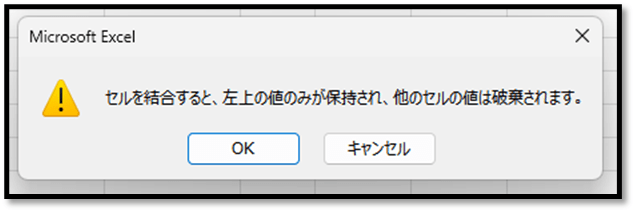
    Application.DisplayAlerts = False
    For i = 1 To lastRow
        If Cells(i, colNo).Value <> Cells(i + 1, colNo).Value Then
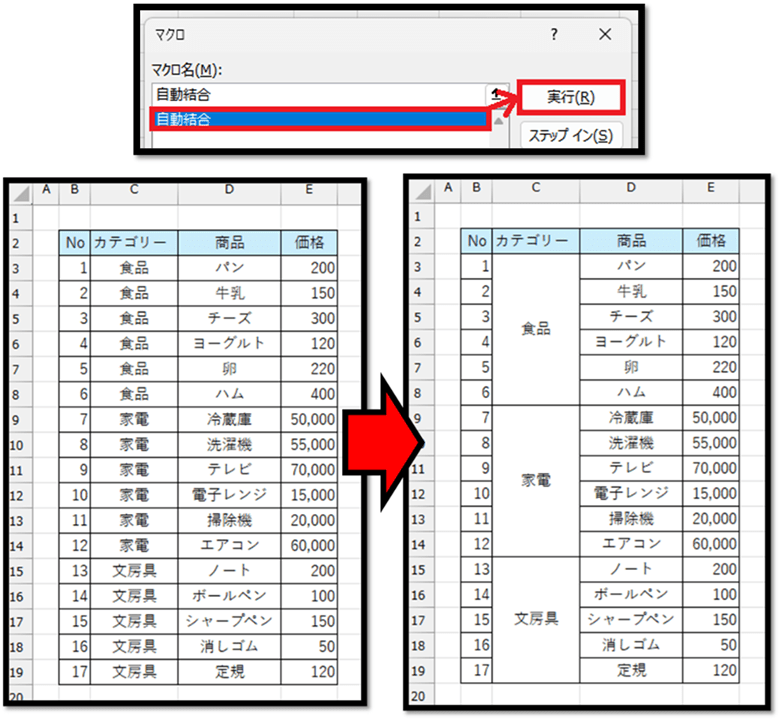
            Range(Cells(sRow, colNo), Cells(i, colNo)).Merge
            sRow = i + 1
        End If
    Next i
    Application.DisplayAlerts = True

End Sub
    For i = 1 To lastRow
        If Cells(i, colNo).Value <> Cells(i + 1, colNo).Value Then
            Range(Cells(sRow, colNo), Cells(i, colNo)).Merge
            sRow = i + 1
        End If
    Next i
Private Sub Worksheet_SelectionChange(ByVal Target As Range)

    If Target.Row = 2 And _
        Target.Column >= 2 And Target.Column <= 5 Then

        Dim rng As Range
        Set rng = Range("B2").CurrentRegion
        rng.Sort _
            Key1:=Target, _
            Order1:=xlAscending, _
            Header:=xlYes

    End If

End Sub
では、コードについて解説していきます。
    If Target.Row = 2 And _
        Target.Column >= 2 And Target.Column <= 5 Then

        …

    End If
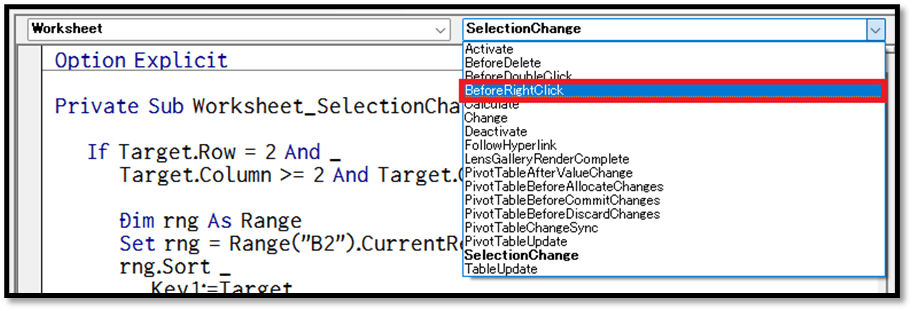
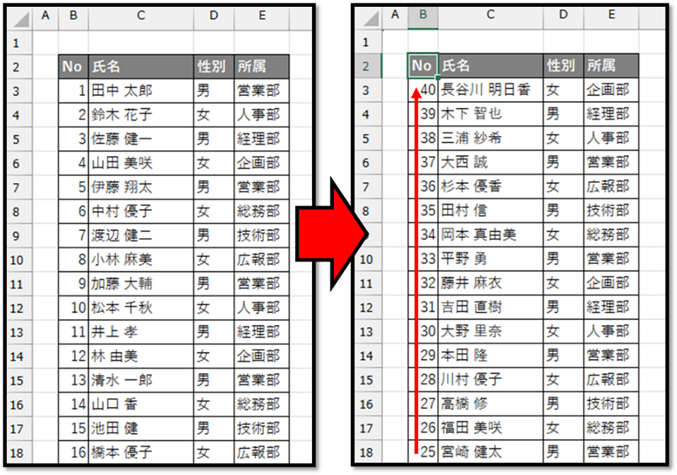
Private Sub Worksheet_BeforeRightClick(ByVal Target As Range, Cancel As Boolean)

    If Target.Row = 2 And _
        Target.Column >= 2 And Target.Column <= 5 Then

        Cancel = True
        Dim rng As Range
        Set rng = Range("B2").CurrentRegion
        rng.Sort _
            Key1:=Target, _
            Order1:=xlDescending, _
            Header:=xlYes

    End If

End Sub
Sub 上詰め()

    Dim inData As Variant, outData As Variant
    inData = Range("B3:B11").Value
    ReDim outData(1 To UBound(inData), 1 To 1)

    Dim d As Variant, i As Long: i = 1
    For Each d In inData
        If d <> "" Then
            outData(i, 1) = d
            i = i + 1
        End If
    Next d

    Range("B3:B11").Value = outData

End Sub
解説
このコードについて、簡単に解説していきます。
    Dim inData As Variant, outData As Variant
    inData = Range("B3:B11").Value
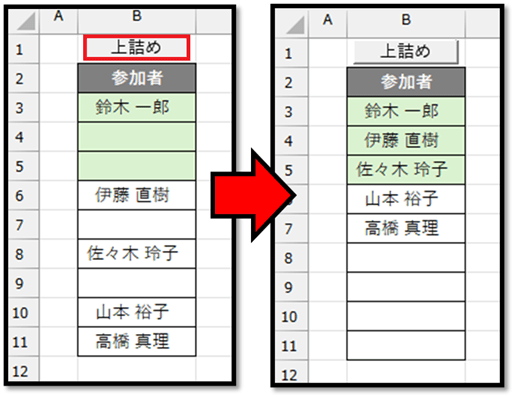
outDataに関しては、inDataと同じ行数、列数の2次元配列になるように変換しています。 inDataのようにセルの範囲を格納すると、添字が1からの2次元配列になるため、outDataに関しても同様に、添字を1からとした2次元配列を用意しています。 行に関しては、UBoundを用いてinDataの行数を取得し、列に関しては、1列のみの範囲になるため、「1 To 1」と1列のみを用意しています。
    Dim d As Variant, i As Long: i = 1
    For Each d In inData
        If d <> "" Then
            outData(i, 1) = d
            i = i + 1
        End If
    Next d